
Building a useful digital store guide with Kasamila
A practical design for interactive retail signage, from the first product question to a staff handoff
A shopper stops in front of a shoe display. Three models look similar. The promotion explains the discount, but the shopper wants to know which pair suits a long day of walking, whether their size is available, and where to try it on.
This is a useful starting point for conversational retail signage: one decision, in one department, with a clear next step. A Kasamila-powered digital guide could explain approved product information through a talking avatar while the screen displays a comparison. Its value should be judged by whether shoppers complete that task accurately and comfortably.
The design below is a proposed implementation, not a report of a deployed customer system. It separates the avatar layer from the store data, conversation services and operational processes that a retailer must provide.
Start with the questions shoppers actually ask
Before choosing a digital character, spend time with store associates. Collect recurring questions, confusing product differences and situations where a shopper needs a person. In footwear, a manageable starting scope might cover intended activity, fit preferences, approved product features and aisle directions.
Several practical problems shape the design. A promotion can change before a screen is updated. A product description can explain a material without explaining its trade-off. A busy aisle can make speech hard to recognize. Some shoppers prefer to tap quietly, and others need larger text or an accessible alternative.
These are design hypotheses to validate in the target store. Interview staff and observe consented test sessions before treating any of them as the dominant problem. Avoid starting with a claim that every store needs an avatar.
Give the shopper a short and honest journey
Imagine a shopper tapping “Help me compare.” The screen introduces the guide as AI, offers text or voice, and explains microphone use before listening.
The shopper asks for shoes for city walking. The guide asks one useful question, such as whether they prefer lighter weight or more cushioning. It retrieves two approved product descriptions and explains the relevant differences. The screen keeps the product names and comparison visible so the shopper does not have to remember everything spoken aloud.
For size availability, the application queries the store’s inventory service. If the result is old, missing or inconsistent, the guide says availability needs confirmation and offers staff assistance. It should never manufacture an answer to keep the conversation moving. Medical questions about pain or injury also leave this narrowly scoped shopping flow.
The final step might show the aisle location or call an associate through an existing store workflow. A “request sent” message must depend on an actual acknowledgment; the interface must not promise that a colleague is coming when no one has received the request. On completion, the application clears the interaction and ends the runtime session.
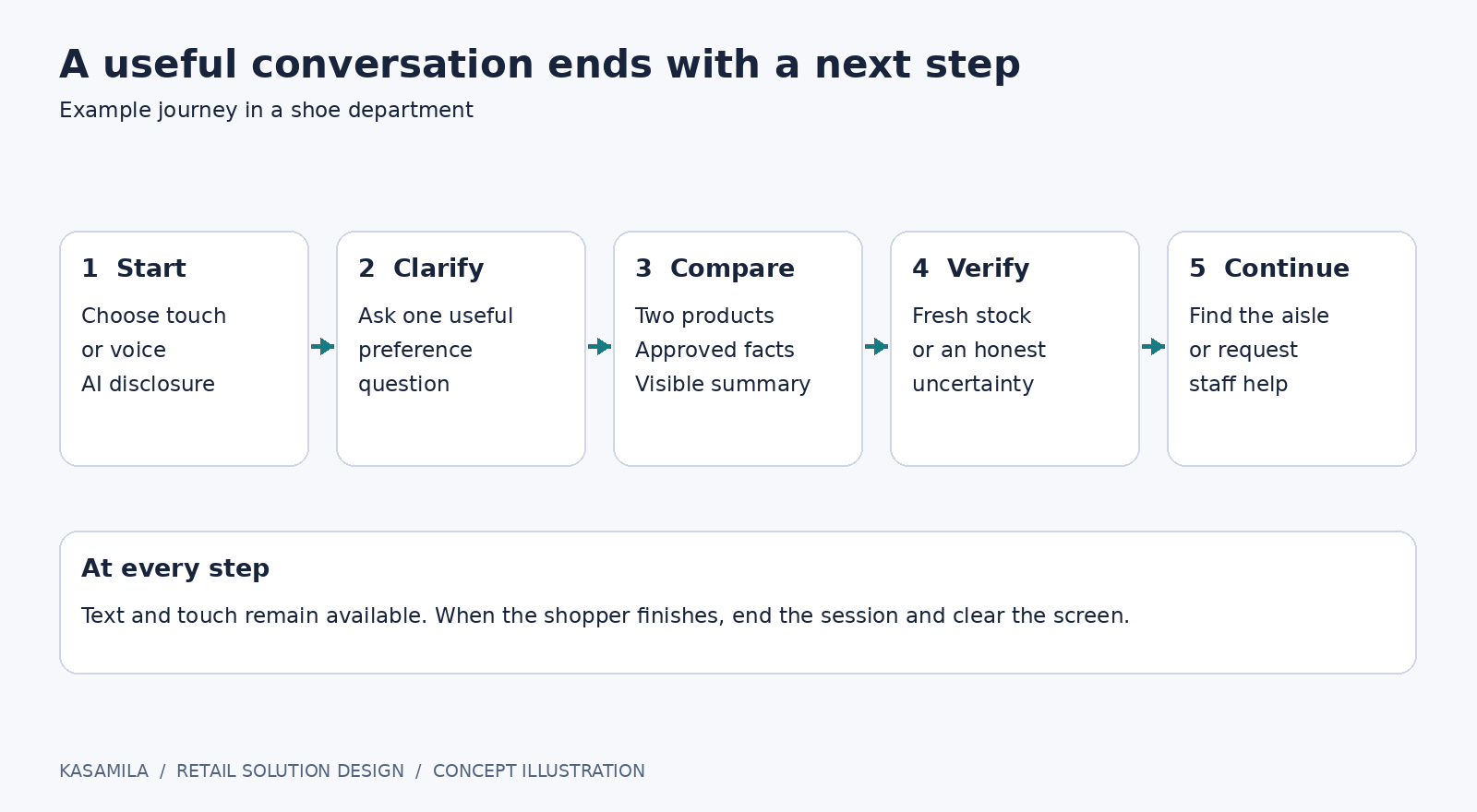
Figure 1: A bounded shopper journey. Concept illustration, not a product screenshot.
Put Kasamila in the right part of the system
Kasamila’s public portal describes a browser-based avatar runtime, with audio-driven lip movement and rendering. Its documented flow keeps the permanent API key on the merchant backend and supplies the browser with a short-lived token restricted to a template and origin. Audio inputs include files, microphone, PCM or TTS streams and RTC tracks. [1]
For this proposed store guide, the retailer’s application would coordinate speech recognition, an LLM or rules engine, approved product retrieval, text-to-speech and staff escalation. Kasamila would provide the avatar presentation layer. The application should generate visible text and spoken audio from the same approved answer to prevent contradictory outputs.
A portrait screen could place the guide above comparison cards; a landscape screen could place it beside them. Those layouts are design proposals. Test the chosen resolution, orientation, browser, media decoding, graphics performance, audio and kiosk permissions on the actual display player. A browser-based SDK does not establish compatibility with every signage CMS or commercial screen.
Kasamila’s public repository provides documentation and runnable integration examples while keeping its core private. Examples should be treated as development starting points, not certification of a retailer’s hardware, POS, payment provider or end-to-end voice stack. [2]
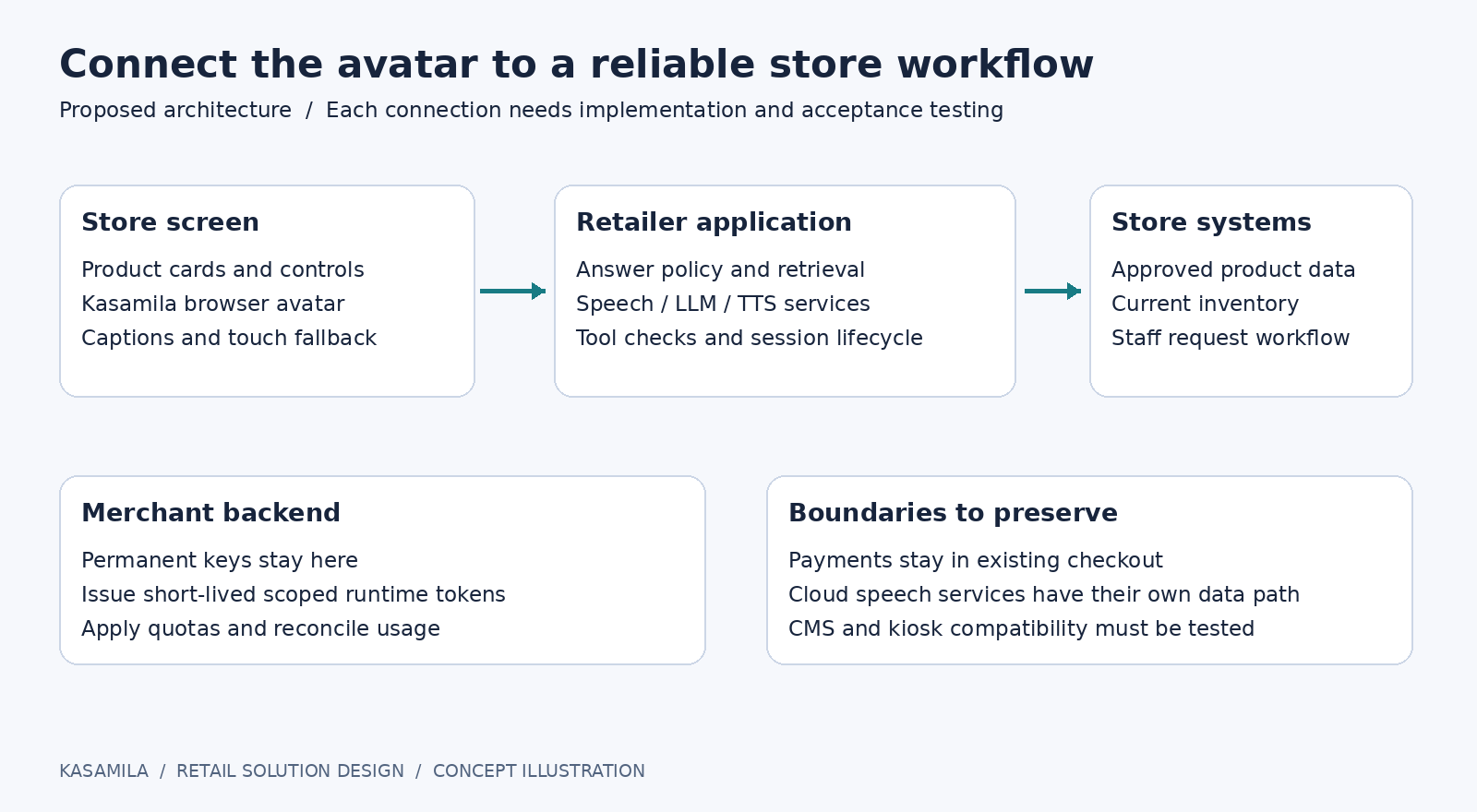
Figure 2: System responsibilities. Concept architecture; connections require implementation and acceptance testing.
Make the answer dependable
Give each product record an owner, update time and permitted claims. Separate relatively stable descriptions from volatile facts such as price, stock and promotions. Define freshness requirements for each field. When a source exceeds its limit, the application should suppress that claim or ask an associate to check.
For a first pilot, use read-only product access. Leave checkout in the retailer’s existing payment flow. Do not accept card details in the conversation. Restrict backend tools to the selected store and product category, validate tool responses, and treat product descriptions as data rather than executable instructions.
Name the operational owners early. Merchandising approves product content; store operations owns staff escalation; the integration team owns data connectors and session lifecycle; security reviews access and retention; the store manager owns incident response. Kasamila-specific runtime questions belong with the platform team or supplier, while the retailer remains responsible for the complete customer experience.
Design for the real shop floor
Use explicit tap-to-talk, a visible listening indicator, captions and a fully usable touch path. Test interruption, background music, several nearby speakers and names the recognizer confuses. Put volume control and “Ask a person” within easy reach. Test screen height, wheelchair approach, contrast, focus order and touch targets with representative users.
WCAG provides a useful framework for evaluating the web interface, but a few accessibility features do not establish conformance or certify a physical kiosk. Review the complete interface and device installation. [3]
Collect only what the task needs. Avoid camera-based identification and unnecessary recordings. Decide which services receive audio or text, what is retained, who can access it and when it is deleted. Browser-side avatar processing does not make a separate cloud speech or language-model service local. Explain the actual data path in plain language and clear the display between shoppers.
Pilot the experience and measure the avatar separately
First, choose one category and define approved questions, escalation rules and success criteria. Next, test scripted cases: unavailable products, stale prices, ambiguous requests, microphone refusal, lost connectivity and a staff member who cannot respond. Keep an offline fallback with directions to human help.
Then run a limited, supervised store pilot. Compare the existing signage, a voice-and-touch guide without an avatar, and the same guide with Kasamila. Keep product data, answer logic and task scope consistent. Balance comparable store periods and record staffing, promotions and footfall so differences are not casually attributed to the character.
Measure accurate task completion, correction rate, staff-handoff success, abandonment, accessibility failures and total cost per resolved session. Treat engagement time as a diagnostic: a longer conversation may mean interest or confusion. If sales are evaluated, use an appropriate consented or aggregated attribution method and report uncertainty. No conversion uplift is assumed.
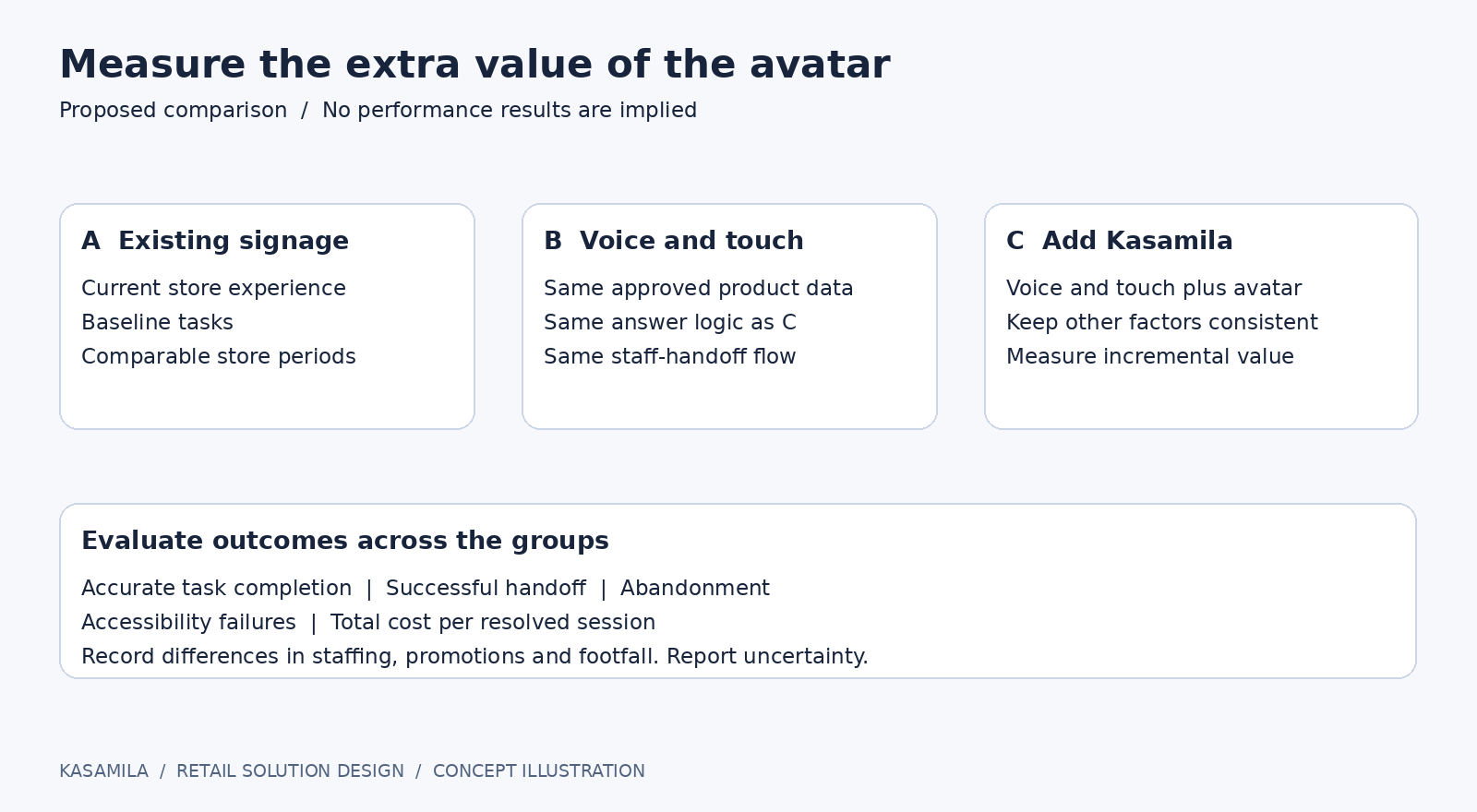
Figure 3: A fair pilot comparison. Illustrative design, not measured results.
Keep runtime costs under control
The portal distinguishes free on-site previews from API/SDK runtime charged by actual running time. [1] Budget the whole active session, including listening and silence; do not model cost using speaking time alone. Confirm current metering terms before launch. Include separate speech recognition, language model, text-to-speech, hosting, device and support costs.
Keep ordinary signage outside an active avatar session. Start the runtime only when needed, show an inactivity warning, explicitly end it after completion or timeout, and reconcile usage with backend session records. Set concurrency limits, spending alerts and a fallback when the budget is exhausted. A disconnected page also needs a server-side cleanup strategy.
The first deployment decision should be straightforward: does this guide help shoppers reach a reliable answer, and does the avatar improve that experience enough to justify its added cost? A focused pilot gives a retailer the evidence to answer both questions before expanding across the store.
Sources
[1] Kasamila public portal, accessed 15 October 2026. https://www.kasamila.com/portal
[2] Kasamila developer repository, accessed 15 October 2026. https://github.com/kasamila/kasamila-dev
[3] W3C Web Accessibility Initiative, WCAG 2 Overview, accessed 15 October 2026. https://www.w3.org/WAI/standards-guidelines/wcag/